 how-to
How to Avoid Buyer Fraud Online: A 2026 Guide
Table of Contents
- How to Avoid Buyer Fraud Online: Essential Steps
- Verify Website Legitimacy Before You Buy
- How to Spot a Fake Buyer on Marketplace Platforms
- Use Secure Payment Methods and Buyer Protection
- Avoiding Chargeback Fraud: Protect Your Sales
- Protect Your Personal and Financial Data
- Reporting Online Fraud to Action Fraud
- Post-Fraud Recovery: What to Do If You've Been Scammed
- Frequently Asked Questions
Last Updated: October 2, 2026
How to Avoid Buyer Fraud Online: Essential Steps
To avoid buyer fraud online, sellers must understand how it costs them billions annually. When someone falsely claims an item never arrived, was damaged, or doesn't match the description, you lose both the product and your money. This guide from LOSBID covers practical steps to protect yourself before, during, and after a sale.
Most fraud is preventable with secure payment methods, buyer verification, documentation, and timely reporting. This guide covers how to spot red flags, use buyer protection features, and recover if something goes wrong.
Verify Website Legitimacy Before You Buy
Before listing or purchasing, verify you're on a legitimate, secure platform. Fraudsters create fake websites differing by only a single letter in the domain name or subtle logo variation.
Check for secure socket layer (SSL) encryption
An SSL certificate encrypts data between your browser and the website. Look for a padlock icon in your address bar and a URL starting with "https://" rather than "http://". Without SSL encryption, anyone on the same Wi-Fi network can intercept your login details or payment information.
Verify the domain name carefully
Fake websites mimic legitimate domains. Before trusting a site: check exact domain spelling (fraudsters use "ebya.co.uk" instead of "ebay.co.uk"), verify the certificate holder's name matches the official business name, use WHOIS lookup to check domain registration age (scam sites are often registered days or weeks before launch), and avoid shortened URLs and redirects.
Validate contact information and company details
Real marketplaces provide verifiable contact details. Look for a physical address, phone number, and email on the "About Us" page. Search the company name on Companies House to verify it exists and is in good standing. Be wary of sites offering only a contact form with no direct phone or email.
Look for verified seller badges and reviews
Real sellers have verification badges, genuine reviews with specific details, months or years of sales history, clear descriptions with multiple photos, and fast response times. Fraudsters have zero reviews, vague descriptions, new accounts, and copied stock photos. Trust your instinct if something feels rushed or too good to be true.
How to Spot a Fake Buyer on Marketplace Platforms
Buyers also commit fraud by claiming items never arrived, were damaged, or misrepresenting what they received. Spotting suspicious buyer behaviour early protects your sales.
Red flags in buyer communication
Watch for: pressure to complete the sale outside the platform, requests to ship before payment clears, vague questions about return policy, buying high-value items with new accounts, requesting items be marked as "gift" on shipping labels, and asking for discounts in exchange for "immediate payment".
Suspicious payment requests and pressure tactics
Fraudsters use urgency: "I need this shipped today or the deal's off," "Can you send it now? I'll pay tomorrow," or "My payment method isn't working, can you accept this alternative?" Real buyers are patient and use the platform's official payment system.
Use Secure Payment Methods and Buyer Protection
This is your strongest defence against fraud. The payment method you choose determines whether you're protected if something goes wrong.
Secure payment gateways and two-factor authentication
Always use the platform's built-in payment system. Secure payment gateways process transactions through verified, encrypted systems, keep your financial details private, provide dispute resolution, and enable two-factor authentication (2FA). 2FA adds a second security layer: after entering your password, you receive a code via text or email to complete login.
Why payment protection matters
Using a platform's official payment method provides buyer or seller protection: the platform investigates non-delivery claims before releasing funds, you can request refunds for counterfeit items, you have a dispute process, and funds are held in escrow until both parties confirm.
Avoiding Chargeback Fraud: Protect Your Sales
A chargeback occurs when a buyer contacts their bank claiming the transaction was unauthorised or the item never arrived. The bank reverses the payment, and you lose both the item and the money. Fraudulent chargebacks exploit this consumer protection system.
How chargebacks work and when they're misused
The process: you sell an item and receive payment; the buyer receives it; days or weeks later, they contact their bank claiming non-delivery or misrepresentation; the bank reverses your payment. Chargeback fraud happens when a buyer intentionally lies to get a refund while keeping the item.
Document everything to defend against false claims
Your best defence is proof: photograph the item showing condition and identifying details, use tracked shipping with signature confirmation, keep all messages, save payment receipts, and note serial numbers for electronics. If a chargeback dispute arises, provide this evidence to the platform or bank.
Protect Your Personal and Financial Data
Your personal and financial information is valuable to fraudsters. Once they have it, they can commit identity theft, open accounts in your name, or create convincing fake profiles.
Never share sensitive information outside the platform
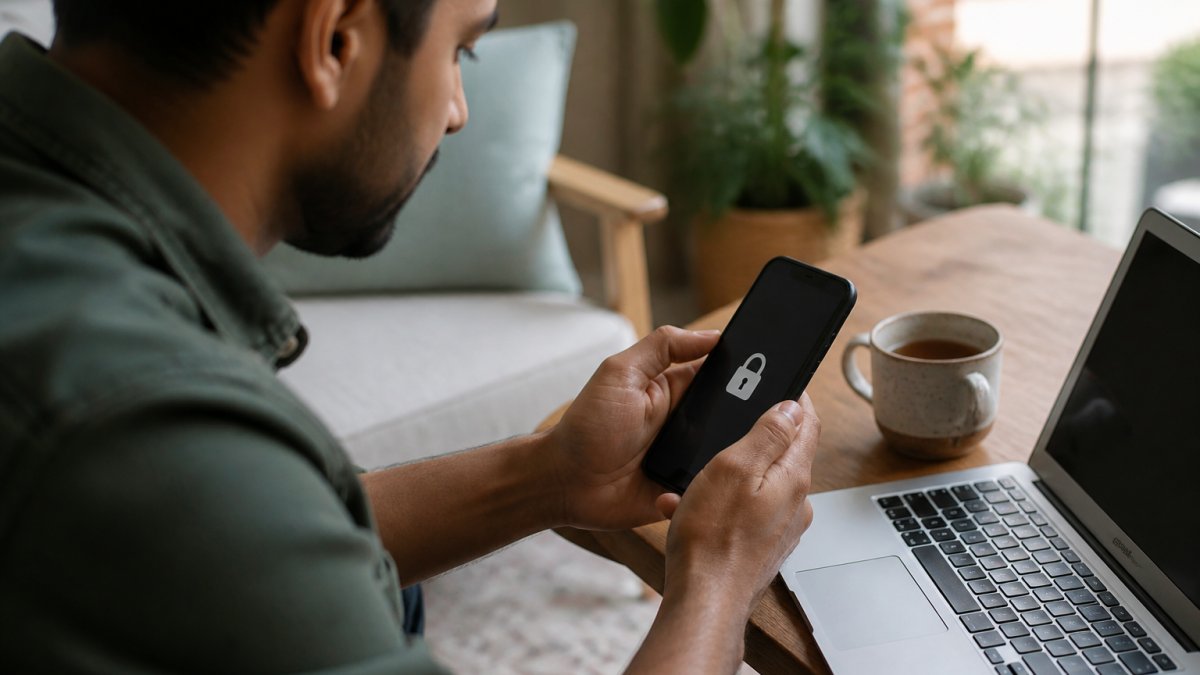
Keep all conversations within the marketplace platform. Never share bank account details, sort code, card details, home address, personal identification documents, or phone number in messages. Fraudsters pose as platform staff asking you to "verify your account." Legitimate platforms never ask for sensitive information via message.
Mobile-specific security: apps, wallets, and SIM swapping
Mobile devices are now a primary fraud target. Protect yourself by:
Using official apps only. Download marketplace apps directly from the Apple App Store or Google Play Store, never from third-party sources or links sent in messages. Fraudsters create fake apps that look identical to legitimate ones but steal your login credentials. Check the app publisher's name carefully and read recent reviews for warnings about security issues.
Securing your mobile wallet. If you use Apple Pay, Google Pay, or similar services, enable biometric authentication (fingerprint or face recognition) and set a strong PIN. Never store payment details in notes or screenshots. If your phone is lost or stolen, contact your bank immediately to freeze your accounts.
Protecting against SIM swapping. This is an emerging threat where fraudsters convince your mobile network to transfer your phone number to a new SIM card they control. Once they have your number, they can reset passwords, intercept two-factor authentication codes, and access your accounts. Prevent this by:
- Contacting your mobile network and requesting a "SIM lock" or "port freeze" that requires in-person verification to transfer your number
- Using authenticator apps (like Google Authenticator or Microsoft Authenticator) instead of SMS-based two-factor authentication whenever possible, since these cannot be intercepted via SIM swapping
- Registering a strong, unique password with your mobile network's online account
Recognising AI-generated fraud and deepfake profiles
Artificial intelligence is now used to create convincing fake seller profiles and product listings:
Spotting AI-generated product images. Fraudsters use AI image generators to create fake product photos that look real but don't match any actual item. Red flags include:
- Unusually perfect product photos with no real-world imperfections or wear
- Inconsistent lighting or shadows that don't match the item's geometry
- Blurred or distorted backgrounds, especially around the edges of the product
- Prices significantly lower than legitimate sellers (often 40-60% below market rate)
- Stock photos that appear in multiple listings from different sellers
If you're unsure, use reverse image search (Google Images, TinEye) to check whether the photo appears elsewhere online or has been stolen from a legitimate listing.
Identifying deepfake seller profiles. Fraudsters now use AI to create fake video profiles or voice messages to build false trust. If a seller insists on video communication:
- Ask them to perform a live action (hold up today's newspaper, make a specific gesture) to prove they're real
- Be suspicious of sellers who only communicate via pre-recorded video or audio
- Check whether their profile photo appears elsewhere online (reverse image search)
- Verify their account age, review history, and response patterns, AI profiles often have gaps in activity or suspiciously perfect engagement
Avoid public Wi-Fi for financial transactions
Public Wi-Fi networks in cafes, libraries, and airports lack encryption. Anyone on the same network can intercept your data using simple tools. Never:
- Log into your marketplace account on public Wi-Fi
- Make purchases or payments while connected to public networks
- Enter your password or payment details on unsecured connections
Use your mobile phone's personal hotspot or wait until you're on a secure home network. The extra few minutes prevents potential fraud. If you must use public Wi-Fi, use a reputable VPN (Virtual Private Network) service, which encrypts all your traffic and masks your location.
Reporting Online Fraud to Action Fraud
If you've been scammed or suspect fraudulent activity, report it to Action Fraud, the UK's national fraud reporting centre. Your report helps authorities track patterns and stop criminals.
When and how to report suspected fraud
Report fraud if:
- You've lost money to a scam
- You've been targeted by a phishing email or fake website
- You suspect identity theft
- You received counterfeit goods
- A buyer made a false chargeback claim
To report, visit the Action Fraud website or call 0300 123 2040. They'll guide you through the process and provide a crime reference number for your records.
What information to gather before reporting
Before you contact Action Fraud, collect:
- Transaction details (date, amount, item description)
- Screenshots of all messages with the fraudster
- Payment receipts and proof of delivery
- Your bank or platform's reference numbers
- The fraudster's username, email, or account details
- Any URLs or links they sent you
The more detail you provide, the better Action Fraud can investigate and help other victims.
Post-Fraud Recovery: What to Do If You've Been Scammed
If you've lost money to fraud, act quickly. The first 24-48 hours are critical for stopping further damage.
Immediate steps:
- Contact your bank or payment provider and report the fraud
- Request they freeze your account and issue a new card
- Change your passwords on all platforms where you use the same password
- Check your credit report for unauthorised accounts opened in your name
- Enable fraud alerts with the credit reference agencies
Longer-term recovery:
- File a report with Action Fraud (as covered above)
- Request a chargeback or refund through your payment provider
- Document all losses and communications for potential compensation claims
- Monitor your accounts for suspicious activity for at least 12 months
- Consider identity theft protection services if your personal details were compromised
Emotional recovery matters too. Being scammed is frustrating and can erode your trust in online trading.
Platforms like LOSBID exist because communities of real people want to trade fairly.
Frequently Asked Questions
What are the most common signs of a fraudulent buyer?
Fraudulent buyers often rush you to complete transactions outside the platform, request unusual payment methods, or offer prices significantly above market value. They may pressure you for immediate shipment before payment clears, ask for refunds after receiving items, or request your personal banking details. Watch for vague responses to questions about the item and new accounts with no purchase history. Legitimate buyers are patient, ask specific questions, and use the platform's secure payment system.
How can I protect myself from chargeback fraud?
Document every transaction thoroughly: keep screenshots of item descriptions, buyer messages, photos of packaging, and proof of delivery. Use tracked shipping with signature confirmation when possible. Record all communication through the marketplace platform, not via email or text. Provide detailed item descriptions and accurate photos to reduce disputes. For high-value items, request payment through a secure payment gateway that offers seller protection. Report suspicious chargeback claims immediately and provide your documentation to support your case.
What should I do if I suspect buyer fraud?
Stop communication if requests seem suspicious. Do not share personal information, bank details, or move the transaction outside the marketplace. Report the buyer to the platform immediately with details of their behaviour. If you've already been scammed, report it to Action Fraud at actionfraud.police.uk. Document everything: screenshots, messages, and transaction details. Contact your bank or payment provider to report the fraudulent transaction. Consider filing a chargeback if money was taken without authorisation.
Is it safe to accept payments outside of a marketplace platform?
No. Payments outside a marketplace eliminate your buyer protection and make it harder to dispute fraudulent transactions. Scammers specifically request bank transfers, wire payments, or cryptocurrency because these cannot be reversed. Always use the platform's secure payment gateway, which offers transaction monitoring and dispute resolution. If a buyer insists on paying outside the platform, it's a major red flag. Legitimate buyers understand and expect to use the marketplace's built-in payment system.