 how-to
How to Sell Second-Hand Electronics: A Step-by-Step Guide
Table of Contents
- Prepare Your Electronics for Sale
- Tips for taking photos of electronics for sale
- How to price second-hand gadgets competitively
- Selling electronics online vs trade-in programs
- Choose the right marketplace to sell second-hand electronics
- Create an effective listing and manage payment
- Avoid common selling mistakes
- Frequently Asked Questions
Last Updated: September 21, 2026
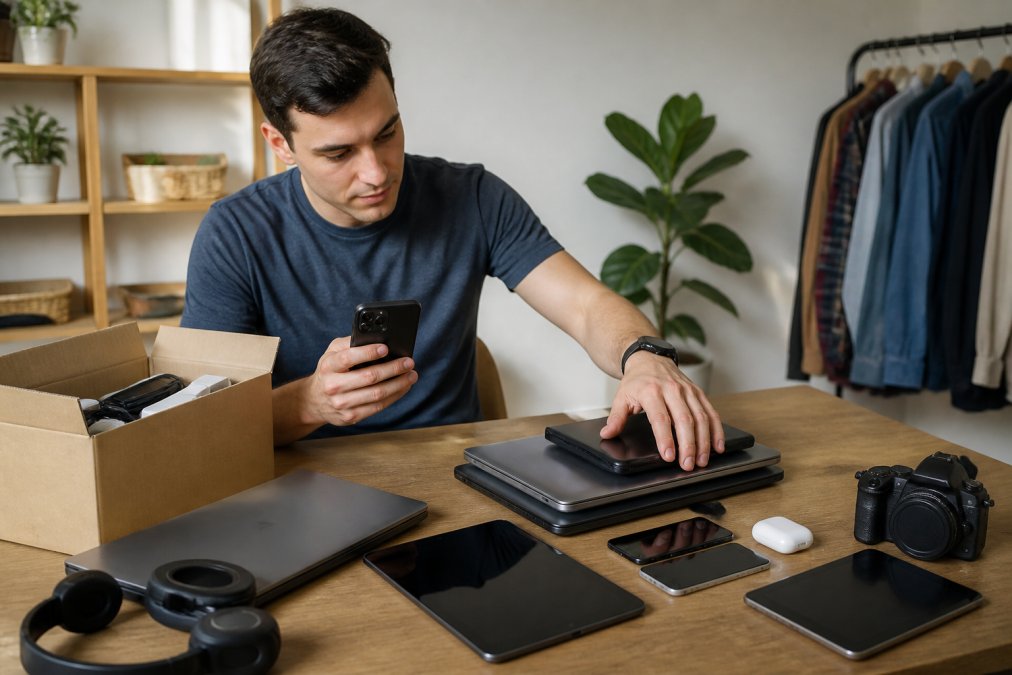
How to sell second-hand electronics is increasingly common as people upgrade devices and declutter their homes. Whether you're moving house, buying new gadgets, or simply clearing space, understanding the process helps you maximize returns and avoid costly mistakes. This guide from LOSBID covers everything from data security to finding the right marketplace, so you can sell with confidence.
Prepare Your Electronics for Sale
Getting your devices ready for sale is the most critical step. Buyers want assurance that their purchase is clean, functional, and secure. A poorly prepared device attracts lower offers and raises red flags about data safety.
Start by testing everything. Power on the device and check that all buttons, ports, and features work properly. Look for physical damage: cracks, scratches, dents, or water damage. Document any issues honestly, transparency builds trust and prevents disputes later.
How to wipe data from your phone before selling
Erasing your personal information before selling is non-negotiable. Never assume the buyer won't access your data, even if you think the device is locked. A factory reset removes your accounts, photos, messages, and files completely.
For iPhone: Go to Settings > General > Transfer or Reset > Erase All Content and Settings. You'll need your Apple ID password. The process takes 5-15 minutes and wipes everything, including your iCloud account link.
For Android phones: Navigate to Settings > System > Reset Options > Erase All Data (Factory Reset). Confirm your PIN or password. This removes all apps, photos, and personal files. The process typically takes 10-20 minutes.
Before you reset, back up anything you want to keep. Use iCloud for iPhone or Google Drive for Android. After the factory reset completes, the phone returns to its original state, ready for a new owner.
Factory reset for other devices
Tablets, laptops, and smartwatches need the same treatment. Each device has a different reset process, but the principle is identical: remove all personal data.
For tablets: Use the same method as phones. iPad users go to Settings > General > Transfer or Reset > Erase All Content and Settings. Android tablet users follow the same Android reset steps.
For laptops: Windows users should go to Settings > System > Recovery > Reset This PC > Remove Everything. On Mac, restart in Recovery Mode (Command + R), then choose Erase Mac and reinstall macOS. Both processes take 20-45 minutes.
For smartwatches: Most smartwatches reset through their companion app on your phone. Open the app, find the watch settings, and select "Unpair" or "Factory Reset." This removes your data and account access.
After resetting any device, power it off completely. Don't turn it back on. This ensures the buyer receives a clean slate.
Tips for taking photos of electronics for sale
Photos make or break your listing. Buyers decide within seconds whether to click your ad. Poor images mean fewer inquiries and lower offers.
Use natural daylight. Shoot near a window during daytime hours. Avoid harsh shadows and overhead lighting, which hide details and make devices look worse than they are. A simple white or neutral background keeps focus on the electronics.
Photograph the device from multiple angles: front, back, sides, and screen (if applicable). Show the condition clearly. If there's a scratch, photograph it. If the screen is pristine, make that obvious. Close-up shots of the display, keyboard, or buttons help buyers assess quality.
Include photos of the box, charger, and any original accessories. These add value and prove authenticity. If you have the original receipt or warranty paperwork, photograph those too.
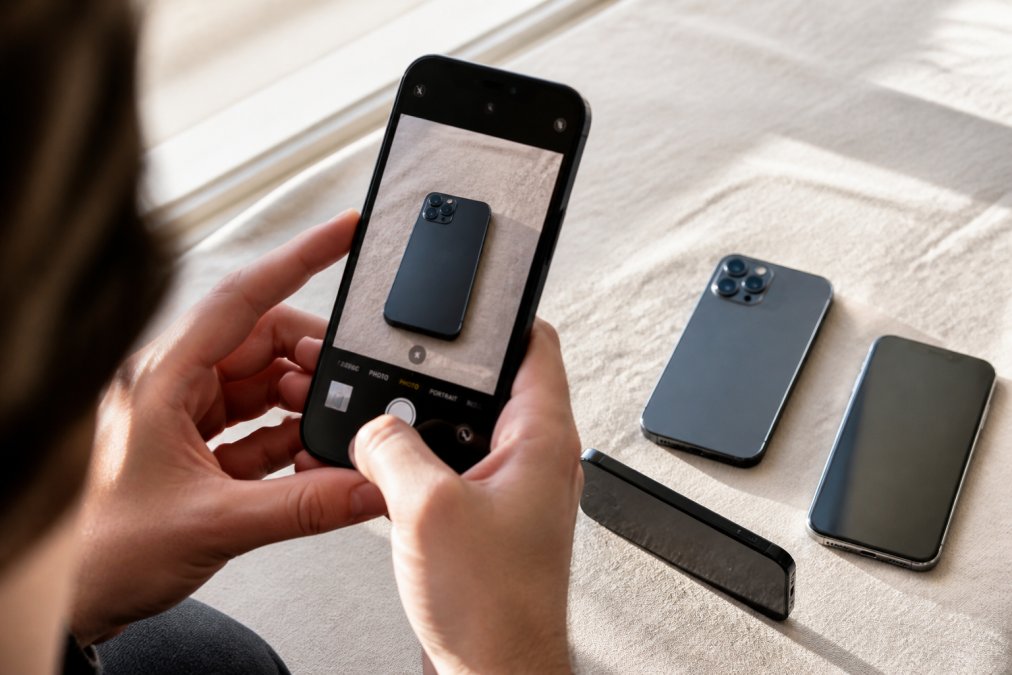
Avoid filters, heavy editing, or misleading angles. Honest photos build buyer confidence. Test the camera on your own phone, most modern phones take excellent product photos without extra equipment.
How to price second-hand gadgets competitively
Pricing determines whether your listing gets attention. Too high, and buyers scroll past. Too low, and you leave money on the table.
Start by checking what similar devices sell for on active marketplaces. Look at completed sales, not just listings. A listing asking £300 doesn't mean the device sold at that price. Search for the exact model, storage capacity, and condition. Note the prices you find.
Consider depreciation.
Factor in condition. A device with cosmetic scratches costs less than one in mint condition. Be honest about wear.
Selling electronics online vs trade-in programs
Two main routes exist: direct online sales or trade-in schemes. Each has distinct advantages and drawbacks.
Online marketplaces give you full control over pricing and buyer selection. You set the price, write the description, and choose who to sell to. You keep more of the money, no middleman taking a cut. However, you handle shipping, manage inquiries, and deal with difficult buyers yourself. The process takes longer, sometimes weeks.
Trade-in programs are faster and simpler. You get an instant offer based on device model and condition. No photographing, writing listings, or waiting for buyers. The company handles logistics.
For high-value electronics (recent flagship phones, quality laptops), online sales usually yield better returns. The extra effort pays off. For older or lower-value gadgets, trade-in programs save time and hassle.
| Method | Speed | Profit | Effort | Best For |
|---|---|---|---|---|
| Online marketplace | 1-4 weeks | Highest | High | Recent, valuable devices |
| Trade-in program | 1-3 days | Lower | Low | Older, lower-value items |
| Local classifieds | 3-7 days | High | Medium | Quick sales, bulk items |
Choose the right marketplace to sell second-hand electronics
The marketplace you choose shapes your entire selling experience. Different platforms attract different buyers and offer different protections.
Community marketplaces with buyer protection
Platforms offering buyer protection give you peace of mind. If a transaction goes wrong, the buyer claims the item never arrived or is damaged, you have recourse. These marketplaces mediate disputes and protect both parties.
LOSBID stands out as a community marketplace designed for real people buying and selling real items. The platform offers buyer protection on purchases, so both you and buyers feel secure. You can list items for free and choose between direct sales or live auction bidding. The flexible approach means your electronics reach buyers actively looking for deals, not just scrolling past random listings.
Community-focused platforms build trust through reputation systems. Buyers see your seller rating and feedback from previous transactions. This transparency encourages fair dealing and honest descriptions.
Specialist buyback platforms
These platforms are convenient but offer lower prices. They buy in bulk, refurbish devices, and resell at profit. Your device must meet their condition standards, heavy damage may be rejected entirely.
Peer-to-peer classifieds and local options
Local classifieds let you sell to nearby buyers. No shipping required. Transactions happen in person, reducing fraud risk. You meet the buyer, inspect payment, and hand over the device immediately.
The trade-off: you handle all communication, negotiate prices, and vet buyers yourself. Safety is your responsibility. Meet in public places during daylight. Bring someone with you. Never share your home address until you're certain of the buyer.
Peer-to-peer platforms work best for bulk sales or clearing multiple items quickly. You might sell five devices in a weekend rather than waiting weeks for individual online buyers.
Create an effective listing and manage payment
A strong listing converts browsers into buyers. Weak listings get ignored.
Write a clear product description
Start with the device model and key specs: brand, year, storage capacity, colour, and condition. Be specific. "iPhone 14 Pro, 256GB, Space Black, Excellent condition" beats "Apple phone, good condition."
Describe what's included. List the charger, cable, box, and any accessories. State what's missing. "No original box" or "Charger not included" sets expectations.
Note any flaws honestly. "Small scratch on back" or "Battery health at 82%" shows transparency. Buyers appreciate honesty more than hidden surprises later.
Explain why you're selling.
Secure payment methods and shipping
Offer multiple payment methods. Avoid cash payments for high-value items, you have no proof of transaction if disputes arise.
Avoid common selling mistakes
Mistakes cost money and create headaches. Learning from others' errors saves time and frustration.
Frequently Asked Questions
Do I need to wipe my data before selling second-hand electronics?
Yes, absolutely. Before selling any device, perform a factory reset to remove all personal information, photos, emails, and passwords. For iPhones, use Settings > General > Reset > Erase All Content and Settings. For Android, go to Settings > System > Reset Options > Erase All Data. This protects your privacy and increases buyer confidence. After wiping, remove your account login credentials to ensure the new owner can set up the device independently.
What's the best way to price second-hand gadgets to sell quickly?
Research comparable devices on active marketplaces to establish market value. Factor in the device's condition, age, remaining battery health, and any included accessories. Price slightly below comparable listings to attract buyers quickly, or use an instant offer service if speed matters more than maximum profit. Check multiple platforms to understand pricing variations across different buyer bases.
Should I sell electronics online or use a trade-in program?
Online selling generally offers higher resale value, especially for popular or collectible items, but requires more effort with photography, listing, and shipping. Trade-in programs are faster and more convenient, handling all logistics. Choose online selling if you want maximum value and have time; choose trade-in if you prioritise speed and hassle-free transactions.
How do I protect myself from scams when selling electronics peer-to-peer?
Use established marketplaces with buyer protection and secure payment systems. Meet local buyers in public places if collecting payment in person, or use platforms that hold funds until the buyer confirms delivery. Request photos of the item from the buyer after delivery to verify condition. Avoid sellers who pressure you to ship before payment clears, and never disable buyer protection features.